Windows-XP (among others) can maintain a log of all commands sent to a modem, and responses received from a modem. This can be very useful in diagnosing problems with dial-up networking, etc
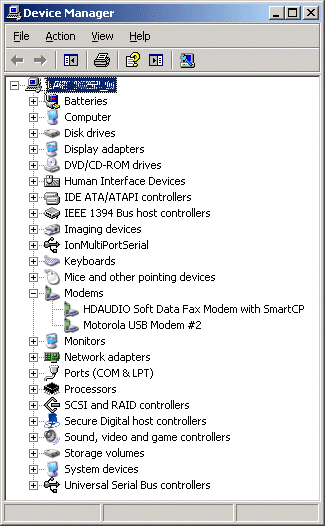
Start by locating the modem in Device Manager:
Right-click the required modem in the list:
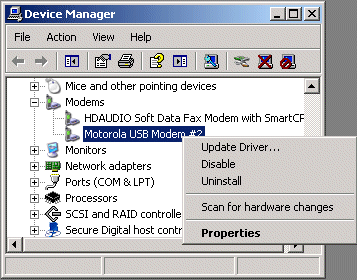
Choose Properties to open the modem properties:
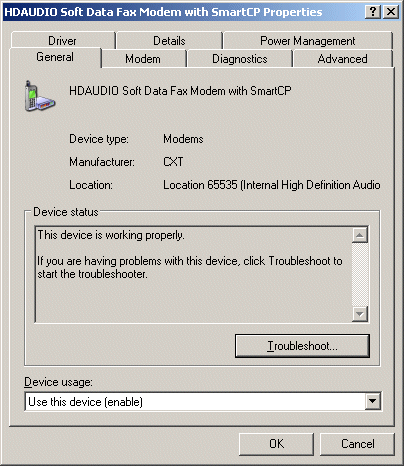
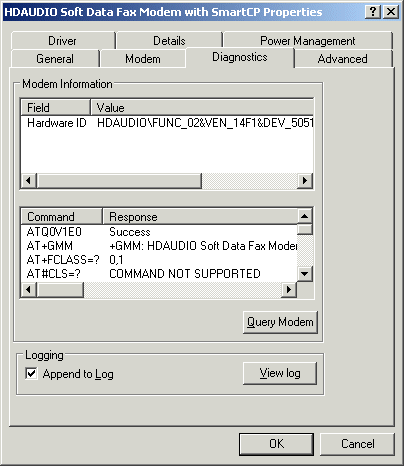
Note that the Troubleshooting button here is not what we want – instead, go to the Diagnostics tab:
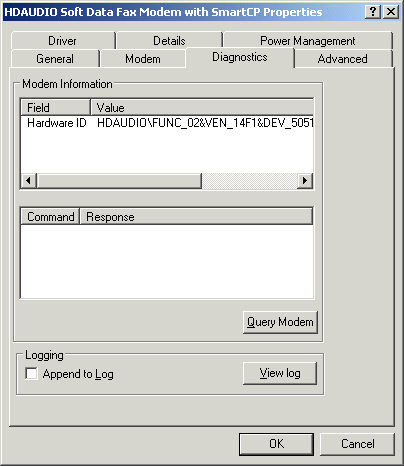
Check Append to log to enable logging of all commands sent to the modem, and all responses received from the modem.
The View Log button, as the name suggests, can be used to view this log (note that it’s just a text file – once you know where it is, you can view it with any application you like)
The Query Modem button sends a number of commands to the modem, and captures the responses (if any).
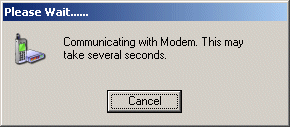
While this is happening, the following message is displayed:
When complete, the commands sent & responses received are shown:
These will also have been recorded in the log – press the View Log button to see:
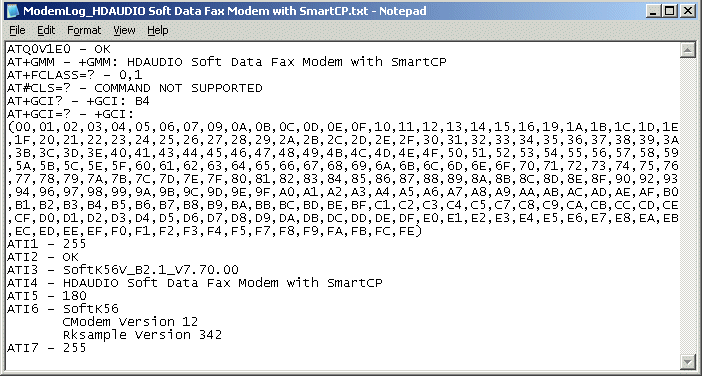
(for details of the commands and responses and their meanings, you will need to consult the particular modem’s documentation).
Now, as long as you leave the Append to log option checked, all commands sent to the modem, and responses
received from the modem, will continur to be recorded in the log. Therefore, if you get any error messages from Dialup Networking, etc, you can look at the log to see exactly what happenned…
Note that the log only records modem commands & responses in creating and clearing connections – it does not record the data passed through the modem once the connection is established.